Monday, March 4, 2013
Love Love Extras!


Sunday, March 3, 2013
Faries Extras!
For these darlings I have used the wonderful art of Alicia Bel!
You can find her "Flying Fairy" HERE at The PSP Project!


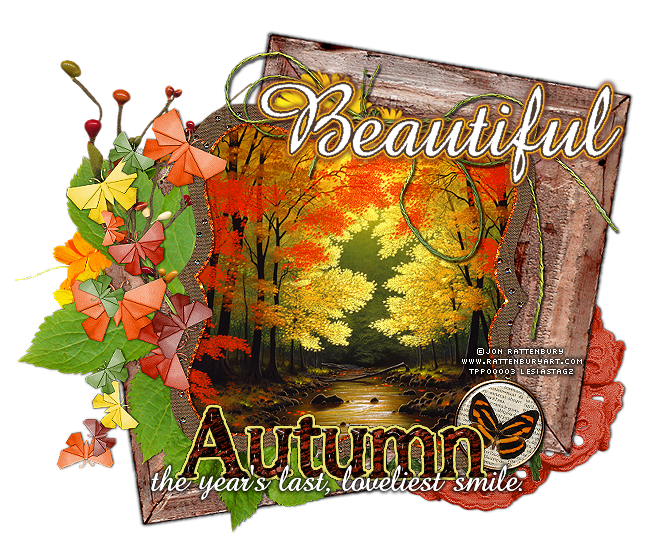
Autumn Forrest Extras!


Thursday, February 28, 2013
Candy Is Sweet Extras!


FREE CLOVER!
No credit required. Just something I was messing with in PSP.

Wednesday, February 27, 2013
Love Extras!
For these lovely creations I have use the delicate kit
"Time Heals" by Farrah.
You can get this kit at Designer Scraps HERE!


Shamrock Blessings Extras!
For these lovely "green" extras I have used the kit
"Evil Leprechaun" by Bibi's Collection.
You can find out how to get the kit here.


Tuesday, February 26, 2013
Little Bit Of Blarney PTU Tutorial

Supplies Need:
Tube of choice: St Patrick's Girl by Zlata , Find it only at The PSP Project, Here.
Scrap kit: A Kiss For Luck by Gemini Creations. Find it HERE.
Eyecandy 4000 Filter
Fonts: Christie and Mountains of Christmas
So, let's begin!
*remember to save often!
Open up element44, resize 80%, copy frame and paste it as a new IMAGE close the original. Make your canvas size pretty large here so we have enough room to work >image>canvas size>1600 x 1300.
Open paper6, copy and paste as new layer under this frame. Take your lasso and trace around the frame shape [on this paper layer], selections>invert>edit>clear.
Open element42, copy and paste as new layer. Pull this frame to the upper left edge letting half of the frame show under the first frame we just applied.
Open paper3, copy and paste as new layer under this frame. Take your lasso and trace around the frame shape [on this paper layer], selections>invert>edit>clear.
Open up element22, copy and paste as new layer under the square frame, rotate 20 degree to the right.
Open up element20, copy and paste as new layer, rotate 30 degree to the right, add shadow and send it to the very bottom of the tag.
Shadow settings:
V: 1 H: 0
O: 85 B: 3
Open element36, resize 50%, copy and paste as new layer, Place it near the bottom right edge of the square frame. Send it to the very bottom layer, duplicate layer, image>mirror.
Open element8, resize 50%, copy and paste as new layer, Place it near the bottom right edge of the square frame, add shadow [same settings as before] send it to the bottom layer.
Open element57, resize 60%, copy and paste as new layer, Place it near the top right edge of the square frame, add shadow [same settings as before] send it to the bottom layer.
Add your tube, I used the St Patrick's Girl by Zlata. resize to 75%, Copy and paste the tube into a new layer on the top. I turned my tube around, you can do this by image>mirror, add shadow. Place it all the way to the right edge of the tag.
This tube also comes with a close up layer, you can add it as I have here. Copy and paste the tube into a new layer on the top of the square paper, underneath the rainbow. Take you lasso trace around the frame shape [on this close up layer], selections>invert>edit>clear. We will be using a blend mode of Luminance on this layer.
Now crop down as close to the edges as possible without cutting anything off...resize to 650 on the largest side.
[You can go smaller size on this if you prefer]
Open the Word Art, copy and paste as new layer on top of the tube placing it as I have it shown here, I also applied the eyecandy glass and gradient glow filter to the word art.
Add your watermarks and copyright info.
I also used the glass& gradient glow on the name as I did with the word art, positioning it on the bottom right edge of the tag.
Save and you are done!
If any part of your tag is blurry you can clear it up by sharpening the layer >adjust>sharpen.
I hope you have enjoyed this tut.
Sunday, February 24, 2013
Like food? Check out my foodie blog!
This is my foodie blog where I post easy and delicious recopies I have tried.
Sassy Sweet Extras!


Subscribe to:
Posts
(Atom)
I Support:


My Blinkies

My Other Blogs

I Create For


Tut Writers Inc.

